 Kuebix is now a part of FreightWise
Data Management within TMS
Location Management
Location Management has gotten an upgrade!
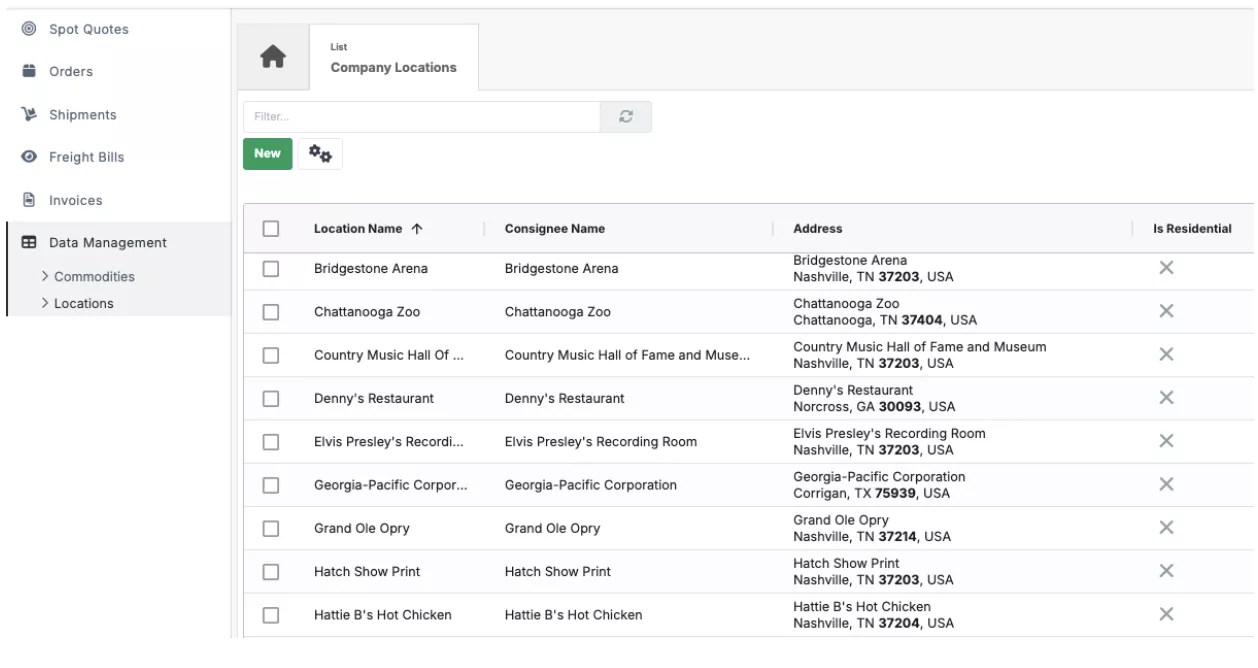
What was previously a basic view under “View Company Info” is now a dedicated, feature-rich grid under “Data Management.” This update makes it easier to manage and organize your locations with new tools to search, filter, export, and make bulk updates to your location data.
Accessorials
You can also now assign default accessorials, such as a liftgate or residential delivery, directly to a location or a branch. These will automatically apply to future shipments, saving you time, reducing the need for manual entry, and preventing billing discrepancies from a forgotten accessorial.
<New Location Management Features>
Reporting & BI Enhancements
Reporting and BI capabilities have been expanded with additional embedded dashboards, including parcel insights and quoted vs invoiced reports, making it easier to access key insights directly within the platform. Dashboards are continuously updated to provide the latest available data and give you a more up-to-date view of your transportation operations.
Carrier Scorecard
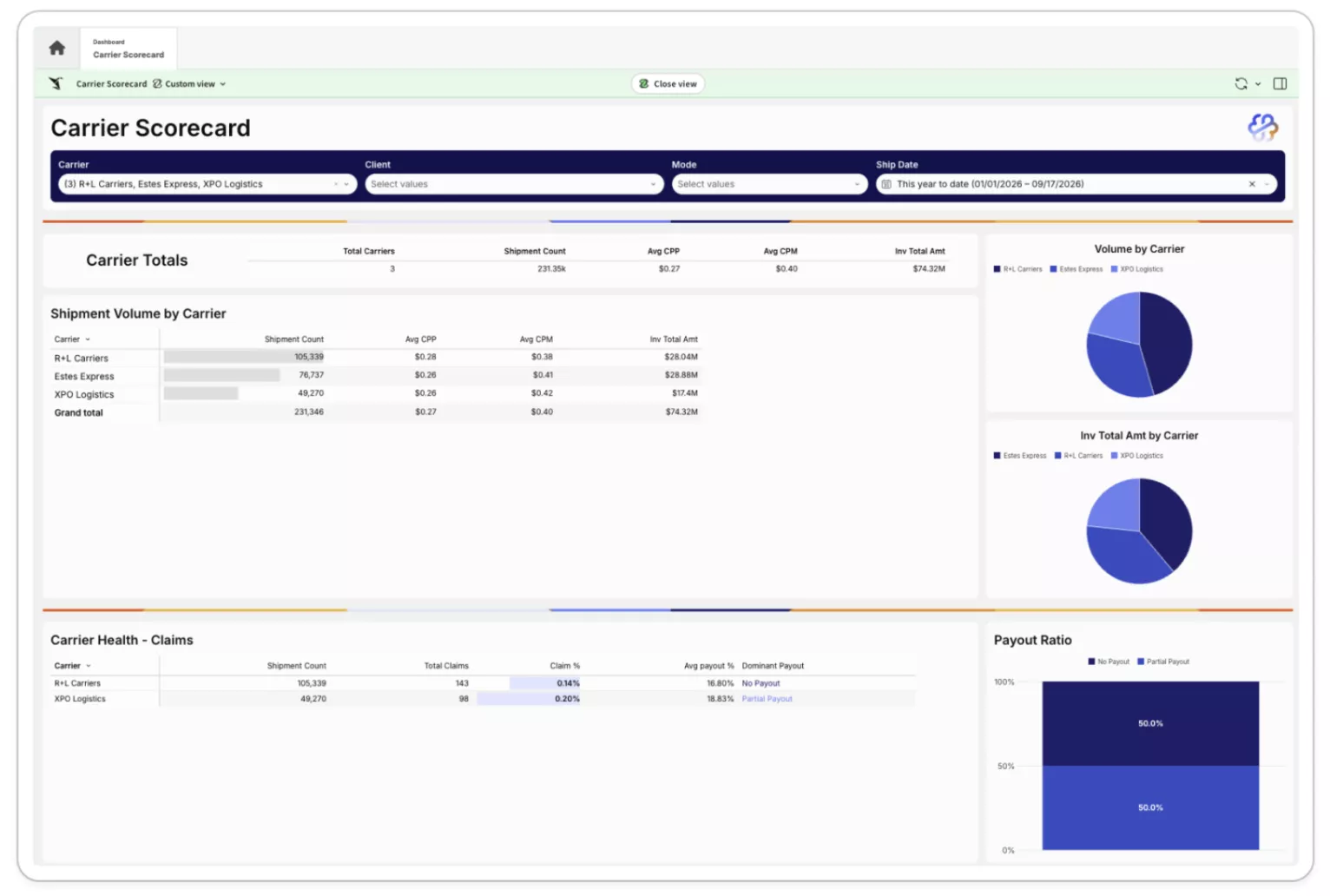
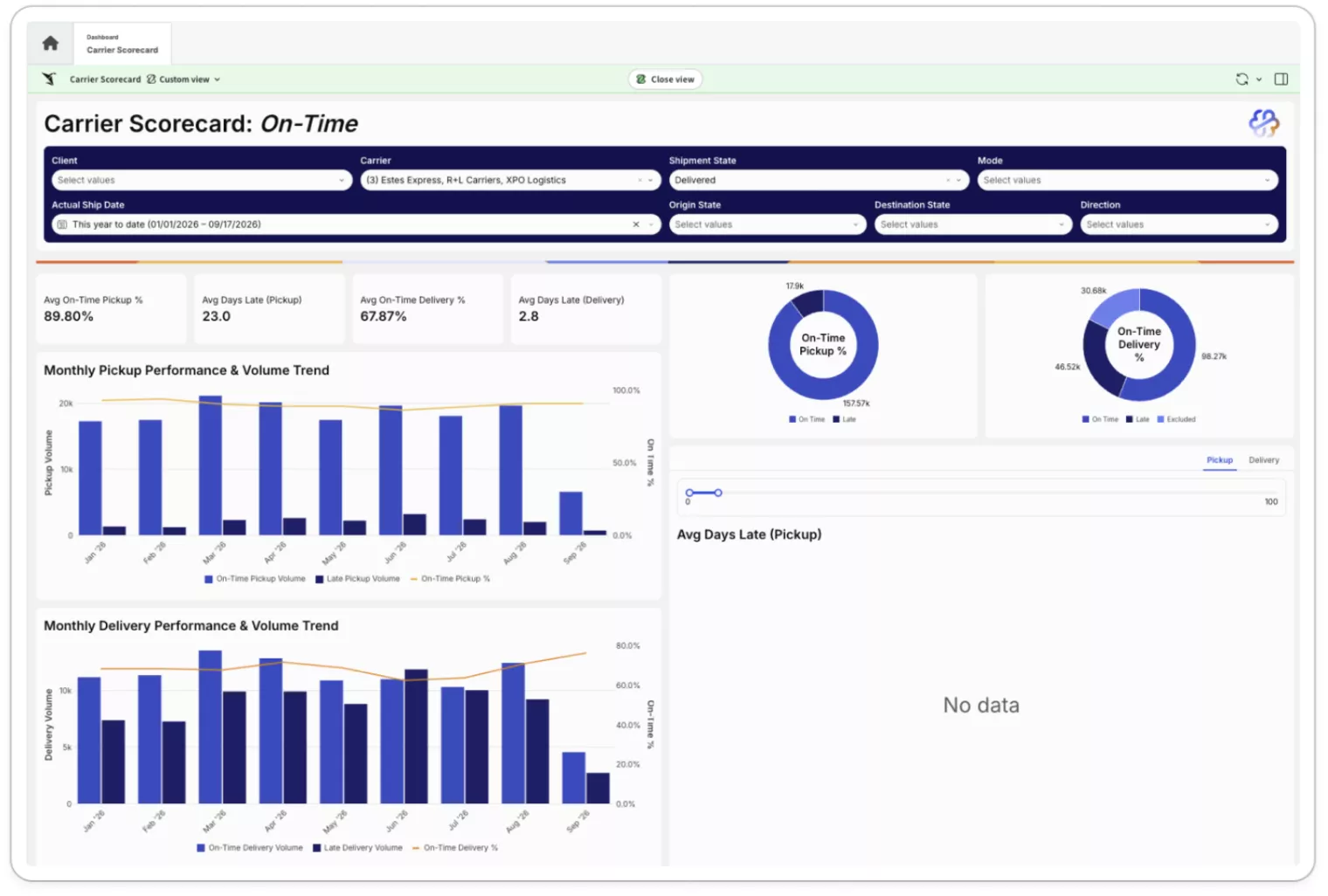
A carrier scorecard has been built to compile data from your shipments and carriers and give insights into overall carrier performance. Quickly review your carrier network to gauge performance about on-time percentages, claim and claim payouts, and tender acceptance for your TL shipments. The scorecard requires automatic tracking to be enabled for your account and is now available as an embedded dashboard. If you’d like to enable Carrier Scorecard, reach out to your account manager.
Shipment Rating
Spot Quotes
You can now get spot quotes directly from a shipment for modes other than Parcel and LTL, including LTL Volume Quotes, Truckload Quotes, and Ocean Quotes. Using the spot quote tool from a shipment offers one streamlined experience and allows you to manage all your shipments in one place without navigating to a separate area.
<Create a Spot Quote from a Shipment>
Routing Guide
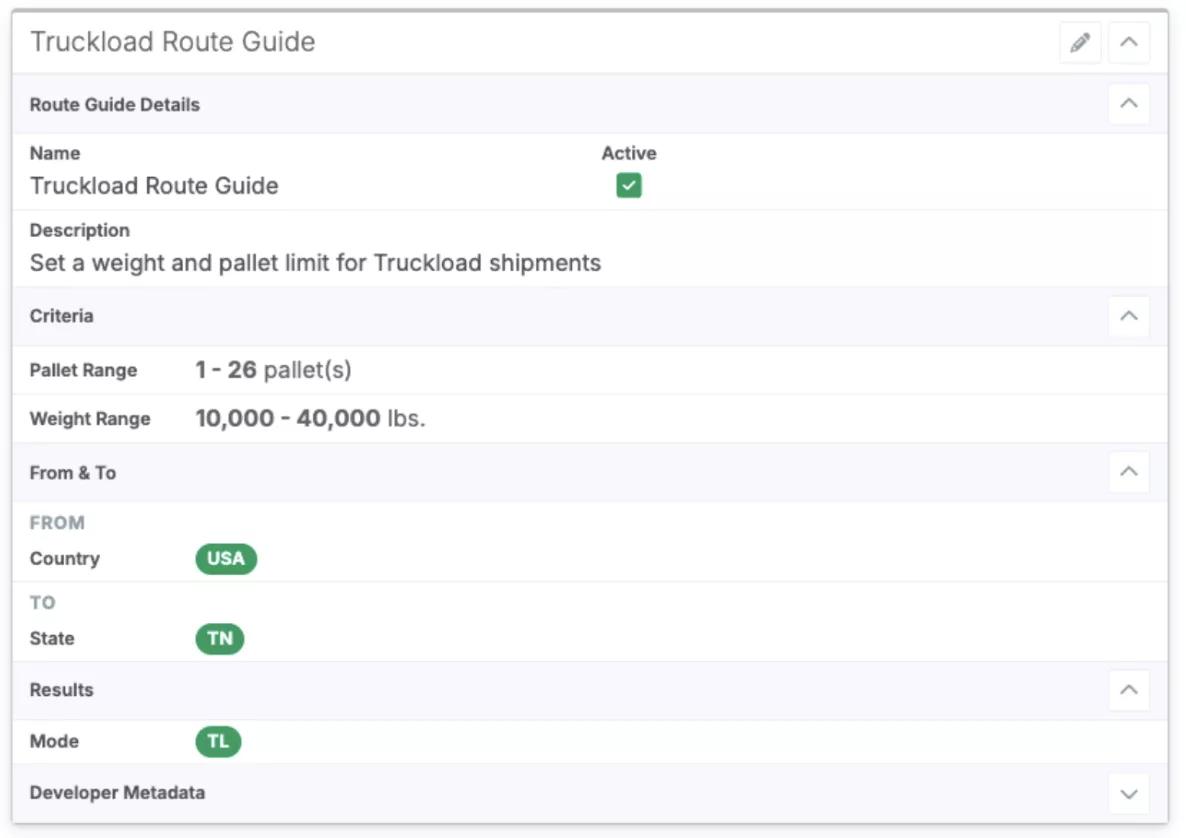
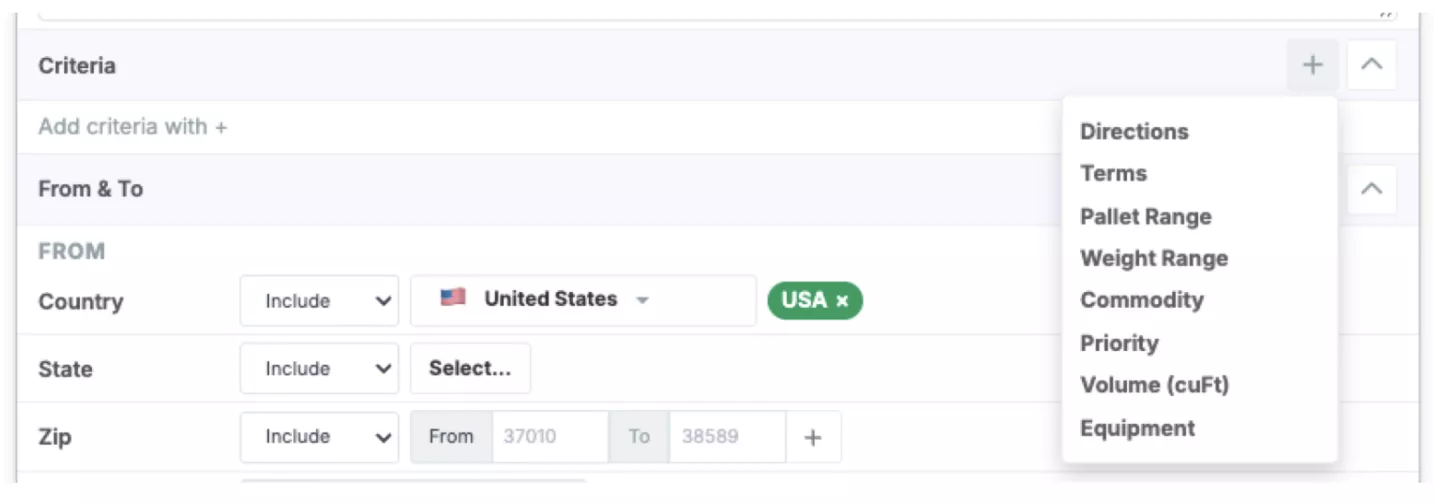
Routing guides are now available giving you a rules-based way to automatically apply preferred carrier or mode selections to your shipments.
You can define lanes at the country, state, zip or location level and set criteria such as weight range, pallet range, terms, direction, priority, commodity, and/or equipment. Once configured, routing guides work automatically in the background to influence shipment rating, helping you enforce contracted carrier commitments and reduce manual rate selection.
Talk to your account manager to have this set up for your account.
Truckload Rating Capabilities
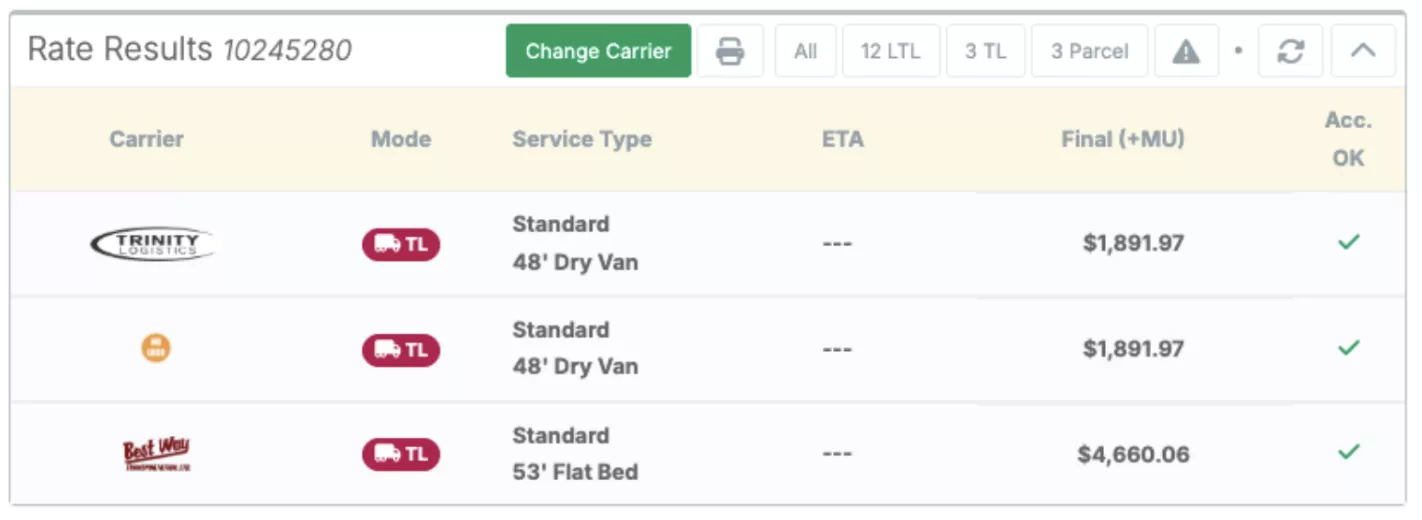
Did you know you can manage your Truckload Shipments through FreightWise right alongside your Parcel and LTL shipments?
Take advantage of our Truckload Rating capabilities by having your Truckload Freight Contracts added to your account. Your contracts can be set up with specific weight ranges, mileage providers, equipment types, and more! Reach out to your account manager to start shipping Truckload in FreightWise today.
Manually Add Rates
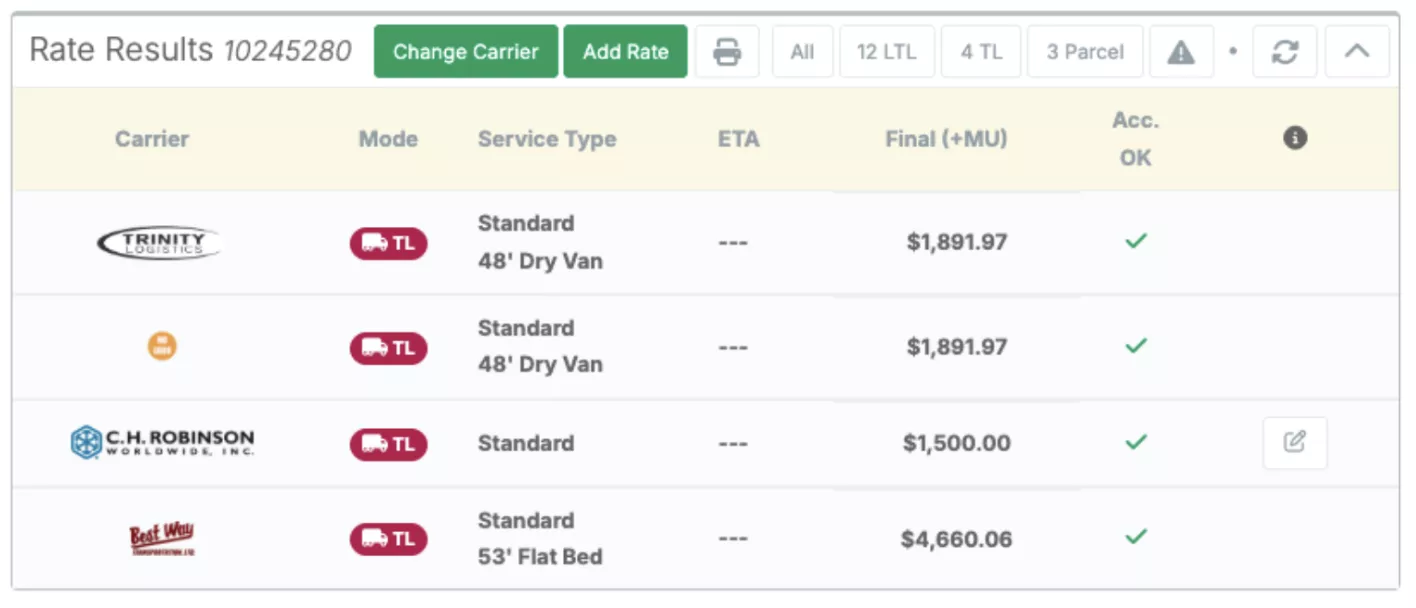
You can now manually input spot or one off rates that you received via phone or email directly alongside your existing contract rates in your rate results panel. Talk to your account manager to learn more about setting up this feature for your business.
Load & Shipment Execution
FreightWise Bill of Lading (BOL) Updates
The FreightWise Bill of Lading has new fields added to streamline your shipping paperwork. Page numbers are enabled by default and additional details such as hours of operation, piece count, and a consignee signature line have been added.
Users are also able to consolidate the view by hiding the description or part number of a commodity.
Contact support@freightwisellc.com if you need assistance with this configuration.
VICS BOL
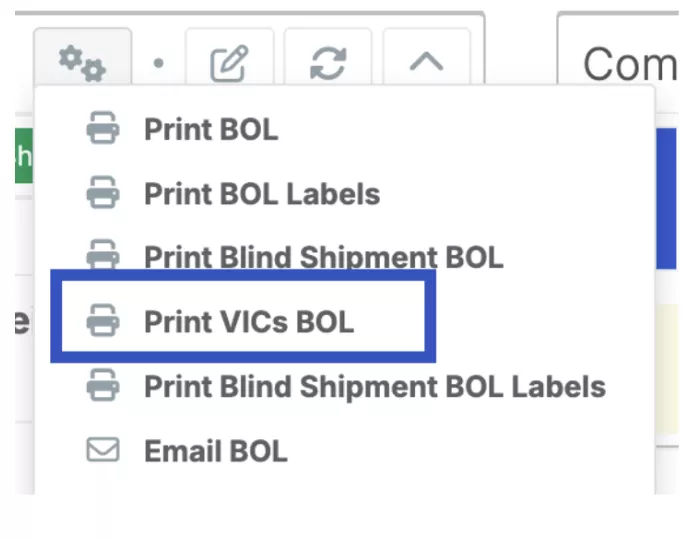
A VICS BOL option is now available directly from the Shipments gear icon. The VICS BOL (Voluntary Interindustry Commerce Solutions) is an industry-standard BOL format commonly used by major retailers, making it easier to meet retailer-specific documentation requirements.
It is automatically on for all users as an option under the gear icon, and can be enabled to be the default BOL.
Multi-Stop Truckload Enhancements
Last release, we introduced full support for Multi-Stop Truckload (MSTL) shipments, allowing you to consolidate orders, visualize and optimize stop routes on a dynamic map, and automate tendering and tracking via EDI (204, 990. 214).
In this release, we’ve completed the end to end MSTL workflow:
- Documentation Support: Users can generate a MSTL BOL with a Master Bill of Lading and Stop Level additional BOLs showing specific stop level accessorials and instructions.
- Smarter Planning: Order consolidation logic has been enhanced to ensure that your orders have compatible dates prior to shipment creation.
- Cleaner Execution: The stops panel has gotten a revamp now showing realistic delivery window feasibility and enhanced consolidation logic that automatically factor in dates and shipment requirements.
Carrier Communication and Tendering
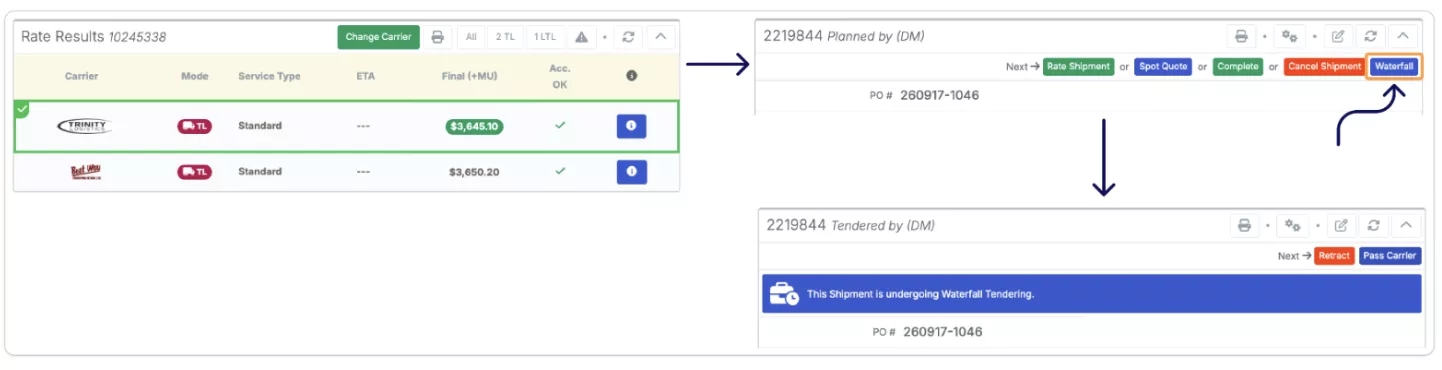
Carrier communication capabilities have been expanded to support EDI, API, and email for truckload carriers. You can now automate waterfall tendering by sequencing carriers based on least cost and defined timing parameters. If a carrier declines or does not respond within the configured timeframe, the shipment automatically moves to the next carrier until the load is accepted.
Enhanced Shipment Map
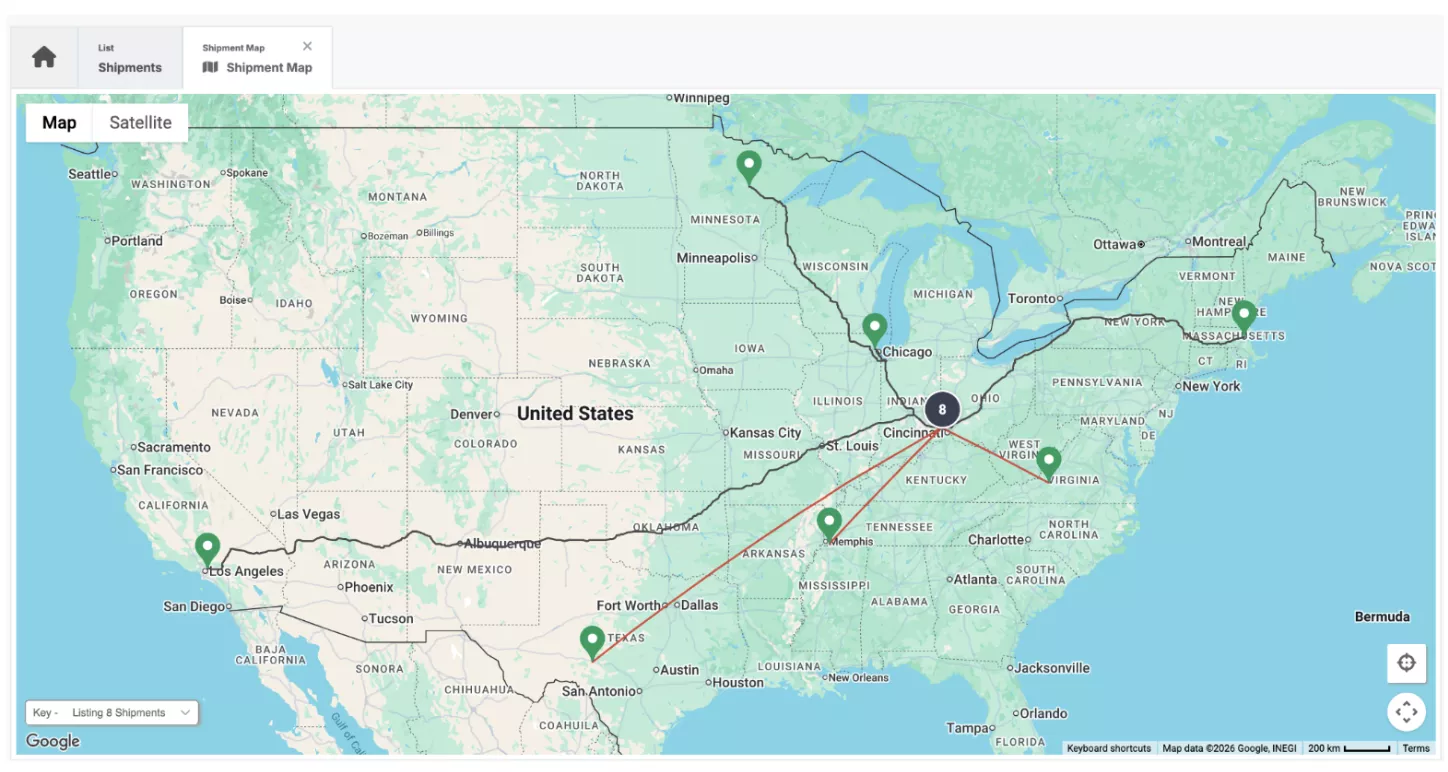
The shipment map has been enhanced to display different lines based on mode, making it easier to visualize shipment movement across different transportation modes.
Mobile App Updates
Our mobile app allows you to capture photos of your freight and instantly attach these to your shipment by scanning the QR code on your BOL. This release we made the app better by removing outdated modules to make navigation cleaner and upgraded underlying app versions for enhanced stability, security and reliability.
To download the app for your IOS or Android device, see the links below:
Complete Button
The Complete button on a shipment can now be disabled to present a cleaner workflow. Removing the complete option allows shipments to move from planning, to scheduled, to tracking, to delivered. This prevents user error of putting a shipment in the complete state prior to delivery.
Contact support@freightwisellc.com if you need assistance with this configuration.
Shipment Tracking
Shipment tracking has been enhanced to provide more accurate, automated visibility throughout the shipping process.
What’s New:
- Automatic Tracking: Shipments can now automatically track and display their current tracking status directly in the shipment grid.
- Improved Tracking Accuracy: Multiple enhancements have been made to improve tracking accuracy across a wider range of carriers.
- Manual Tracking Updates: It’s now easier to manually add information to tracking events when needed.
- Pickup & Delivery Dates: Pickup and delivery dates can now be captured automatically from tracking events.
- Carrier Scorecard: Dashboard with tracking data and metrics including on-time percentages and claims.
Thank you for being a FreightWise user! For any questions about the new releases or questions about additional products, reach out to your account manager or support@freightwisellc.com.
Happy shipping!
The FreightWise Product Team